
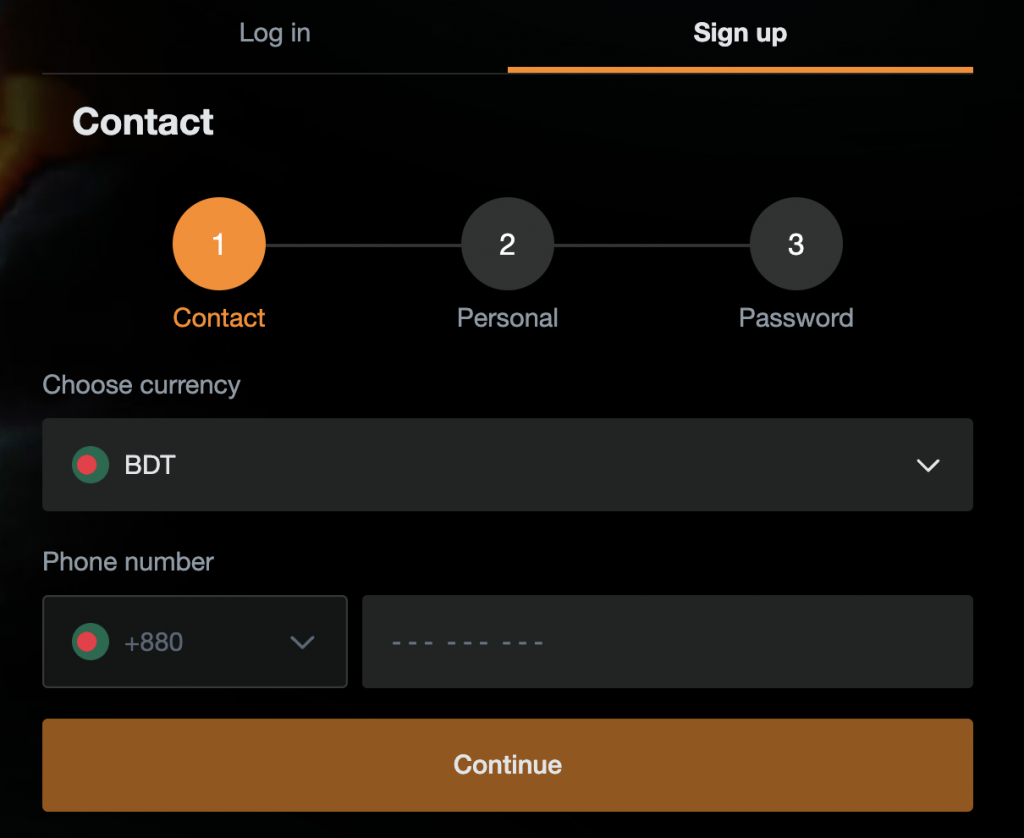
JeetBuzz Registration in Bangladesh – Create a New Account
Updated – August 2026
JeetBuzz registration allows new users in Bangladesh to create an account for sportsbook, casino and mobile access. The registration form requires account credentials and personal information such as a username, password, full name, phone number and email address.
This guide explains how to create a JeetBuzz account, the registration requirements and the details that should be checked before confirming a new account.
How to Register a JeetBuzz Account
New users can complete the JeetBuzz registration process through the registration form on the website or mobile platform.
- Open the JeetBuzz registration form and select Sign Up.
- Create a username for the account.
- Create a password that meets the account security requirements.
- Select the account currency. Users in Bangladesh should check that the correct currency is selected before confirming registration.
- Enter your full name and other requested personal information accurately.
- Enter a current phone number and email address.
- Add a referral code if you have one. This field is optional.
- Enter the verification code displayed on the registration form and confirm that you meet the minimum age requirement and accept the applicable Terms and Conditions.
- Select Confirm to complete the JeetBuzz registration process.
After registration, the same username and password can be used through the JeetBuzz Login page and on supported mobile devices.
JeetBuzz Registration Details
The registration form uses several account and personal-information fields. Entering them correctly is important because some account details cannot be freely changed after registration.
| Registration field | Requirement |
| Username | 4–15 characters using lowercase letters and numbers |
| Password | 6–20 characters |
| Password format | At least one uppercase letter, one lowercase letter and one number |
| Full name | Enter the user’s real name as shown on identification documents |
| Phone number | Use a current phone number that can be accessed by the account holder |
| Email address | Use a current email address that can be accessed by the account holder |
| Currency | Select the correct account currency during registration |
| Referral code | Optional |
| Verification code | Enter the code displayed on the registration form |
| Minimum age | 18+ |
JeetBuzz Username and Password Requirements
A JeetBuzz username should contain 4–15 characters and use lowercase letters and numbers. The username should be chosen carefully because it is used to access the account after registration.
The account password should contain 6–20 characters and include at least one uppercase letter, one lowercase letter and one number. A password that is not reused on other websites provides better protection for the account.
Check Your Details Before Registration
Check all account information before confirming registration. Details such as the username, full name, date of birth and selected currency may not be available for normal editing after the account has been created.
The full name and other personal information should match the details used for account verification. Entering inaccurate information can create problems when verification is required later.
JeetBuzz Account Verification
Registration and account verification are separate processes. Creating an account requires users to provide accurate account and contact information, while additional identity verification can be required for account functions such as withdrawals.
Account verification can require identity information or documents used to confirm that the account belongs to the registered user. The personal information entered during registration should therefore match the user’s identification details.
Users should provide verification information only through the account or support channels designated by JeetBuzz.
JeetBuzz Registration Requirements
Before creating a JeetBuzz account, new users should meet the basic registration requirements and have access to the contact details entered on the form.
- Be at least 18 years old.
- Provide accurate personal information.
- Use a current phone number and email address.
- Create a username that meets the registration requirements.
- Create a password that meets the password requirements.
- Select the correct account currency before confirming registration.
- Accept the applicable Terms and Conditions.
Using Your JeetBuzz Account After Registration
After registration is complete, the account can be accessed through the JeetBuzz website or supported mobile platform using the same username and password.
Android users can find installation information on the JeetBuzz App page.
JeetBuzz Registration FAQ
What Are the JeetBuzz Username Requirements?
A JeetBuzz username should contain 4–15 characters and use lowercase letters and numbers. Choose it carefully because the username is used to access the account after registration.
What Are the JeetBuzz Password Requirements?
The password should contain 6–20 characters and include at least one uppercase letter, one lowercase letter and one number.
Can I Change My JeetBuzz Username After Registration?
No. The username is treated as a fixed account detail after registration, so it should be checked carefully before the account is confirmed.
Can I Change the Account Currency After Registration?
The account currency should be selected carefully during registration because it is not normally available for standard editing after the account is created.
Do I Need to Verify My JeetBuzz Account After Registration?
Registration and account verification are separate processes. Additional identity verification can be required later for account functions such as withdrawals.
Can I Use the Same JeetBuzz Account on Mobile?
Yes. The same username and password can be used on the JeetBuzz website and supported mobile platform. Android users can use the JeetBuzz app with the same account credentials.
What Should I Do If JeetBuzz Registration Does Not Work?
Check that all required fields are completed correctly, the username and password meet the registration requirements, the correct verification code is entered and the Terms and Conditions have been accepted. If registration still cannot be completed, contact JeetBuzz customer support.